
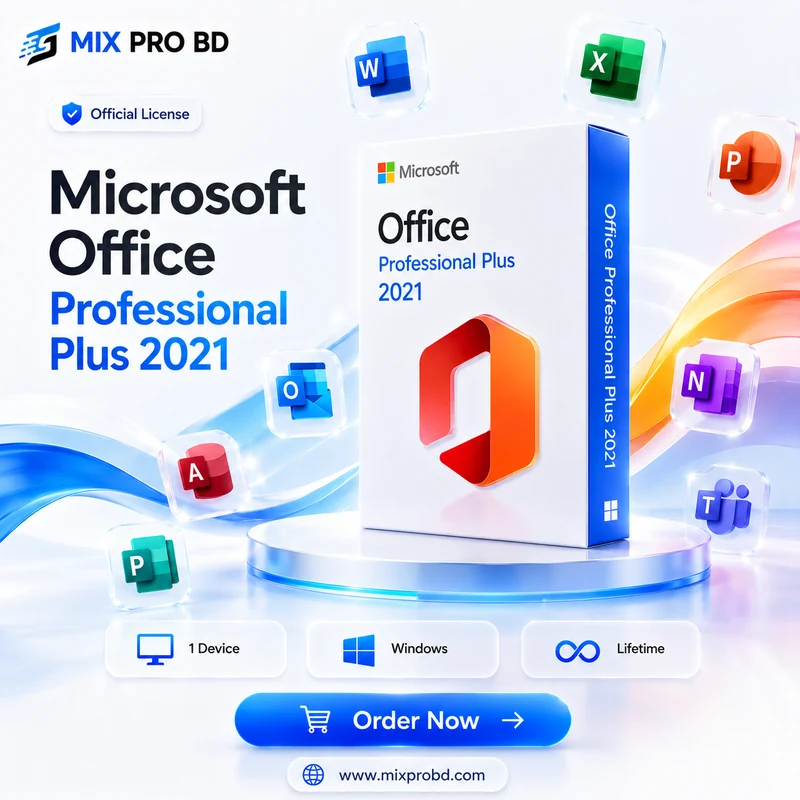
Microsoft 2021 Office Pro Plus
1,450.00৳ Original price was: 1,450.00৳ .699.00৳ Current price is: 699.00৳ .
Microsoft Office Professional Plus 2021
Complete Microsoft Office solution for Windows users with one-time activation for a single compatible device.
🚀 Microsoft Office Professional Plus 2021
Microsoft Office Professional Plus 2021 is a complete productivity suite designed for users who need professional Office applications on a compatible Windows PC.
After purchasing, you will receive the required product key through your email. Follow the installation and activation guide provided below to complete the setup.
✨ Key Features
Word 2021
Create and edit professional documents.
Excel 2021
Manage spreadsheets, calculations and data.
PowerPoint 2021
Create professional presentations and slides.
Outlook 2021
Manage supported email and calendar workflows.
OneNote 2021
Organize notes, ideas and information.
Professional Tools
Essential Office tools for professional productivity.
📌 Benefits
- One-Time Purchase: No recurring monthly subscription is required for this one-time Office license.
- Single Device: Designed for activation on one compatible Windows PC.
- Complete Office Suite: Work with Word, Excel, PowerPoint, Outlook, OneNote and other supported Office applications.
- Online & Offline Use: Internet access is required for installation and activation; supported Office applications can then be used offline.
- Professional Productivity: Suitable for office work, business, education, freelancing and everyday document management.
⚠️ Limitations
- This product is intended for one compatible Windows device.
- Internet access is required during installation and activation.
- Office 2021 is a fixed-version Office product and is not the same subscription model as Microsoft 365.
- Features and application availability may depend on the specific Office edition and applicable Microsoft licensing terms.
🔐 Important Before Ordering
- Make sure your computer is running a compatible Windows version before ordering.
- If another Office version or trial version is installed, remove it when required before starting a fresh installation.
- Your product key will be delivered to the email address provided with your order.
- Keep the delivered product key secure and do not share it publicly.
- Follow the complete installation and activation guide before contacting support.
🎯 License Information
Microsoft Office Professional Plus 2021 is intended for one compatible Windows device. The product key supplied with your order is used during the Office activation process.
📖 Installation & Activation Guide
আপনার Office 2021 activation সম্পন্ন করার জন্য নিচের step-by-step guide follow করুন।
প্রথমে আমাদের দেওয়া setup file download করে installation complete করুন। এরপর আপনার order-এর সময় দেওয়া email inbox থেকে product key copy করে Office activation process সম্পন্ন করুন।
🛡️ Why Buy from MIX PRO BD?
💻 Microsoft Office 2021 — Complete Setup & Activation
Step 1: Download Office 2021 Setup
উপরের “Download Office 2021 Setup” button-এ click করুন এবং আমাদের দেওয়া Office 2021 setup file download করুন।
Step 2: Run the Setup
Download সম্পন্ন হলে আপনার computer-এর Downloads folder-এ যান এবং downloaded setup file-টি open/run করুন।
Windows permission চাইলে প্রয়োজন অনুযায়ী Yes দিয়ে installation শুরু করুন।
Step 3: Complete Installation
Office installation process automatically চলতে থাকবে। Installation complete না হওয়া পর্যন্ত অপেক্ষা করুন।
Installation চলাকালীন computer বন্ধ করবেন না।
Step 4: Open Microsoft Word
Installation complete হলে Microsoft Word open করুন।
প্রথমবার Word open করার পর activation-এর জন্য product key চাইতে পারে।
Step 5: Copy Your Product Key from Email
আপনার order-এর সময় যে email address দেওয়া হয়েছিল, সেই email inbox-এ MIX PRO BD থেকে পাঠানো delivery email open করুন।
সেখানে দেওয়া Office 2021 Product Key copy করুন।
Step 6: Enter the Product Key
Microsoft Word-এর activation window-তে আপনার email থেকে copy করা product key paste করুন।
Product key দেওয়ার পর Activate option-এ click করুন।
Step 7: Close Office Applications
Activate button দেওয়ার পর Word, Excel এবং অন্যান্য Office applications completely close করুন।
এরপর আবার Microsoft Word open করুন।
Step 8: Open the Activation Window Again
Word আবার open করার পর যদি Activation Wizard বা activation window আসে, সেখানে available activation options দেখাবে।
আপনার installation-এ যদি Activate by Telephone option দেখায়, সেটি select করুন।
Step 9: Get Your Installation ID
Telephone activation select করার পর Microsoft-এর activation window আপনার device-এর জন্য একটি Installation ID দেখাতে পারে।
এই Installation ID আপনার device-এর activation process-এর জন্য প্রয়োজনীয় একটি unique code।
Step 10: Use Microsoft Activation Support
এখন নিচের Microsoft Visual Support page-এ যান।
🔐 Open Microsoft Activation SupportMicrosoft-এর page-এ প্রয়োজনীয় information follow করুন এবং আপনার Office activation window-তে দেখানো Installation ID ব্যবহার করুন।
Step 11: Receive the Confirmation Code
Microsoft-এর activation system আপনার Installation ID verify করার পর একটি Confirmation ID / Confirmation Code দিতে পারে।
এই Confirmation ID Microsoft activation window-তে দেওয়া required field-এ enter করুন।
Step 12: Complete Activation
Confirmation ID সঠিকভাবে দেওয়ার পর Next / Activate option select করুন।
Activation সফল হলে Office activation process complete হবে।
Step 13: Check Activation Status
Activation complete হওয়ার পর Microsoft Word open করে:
Word → File → Account
Product Information section থেকে activation status check করুন।
Activation options Microsoft Office-এর specific installation ও license অনুযায়ী ভিন্ন হতে পারে। যদি আপনার screen-এ Telephone Activation option না থাকে, তাহলে অন্য কোনো unofficial activation method ব্যবহার করবেন না। MIX PRO BD Support-এর সাথে যোগাযোগ করুন।
উপরোক্ত সম্পূর্ণ Installation ও Activation Guide follow করার পরও সমস্যা হলে MIX PRO BD Support-এর সাথে যোগাযোগ করুন।
📞 +880 1611-114017
— MIX PRO BD Team